
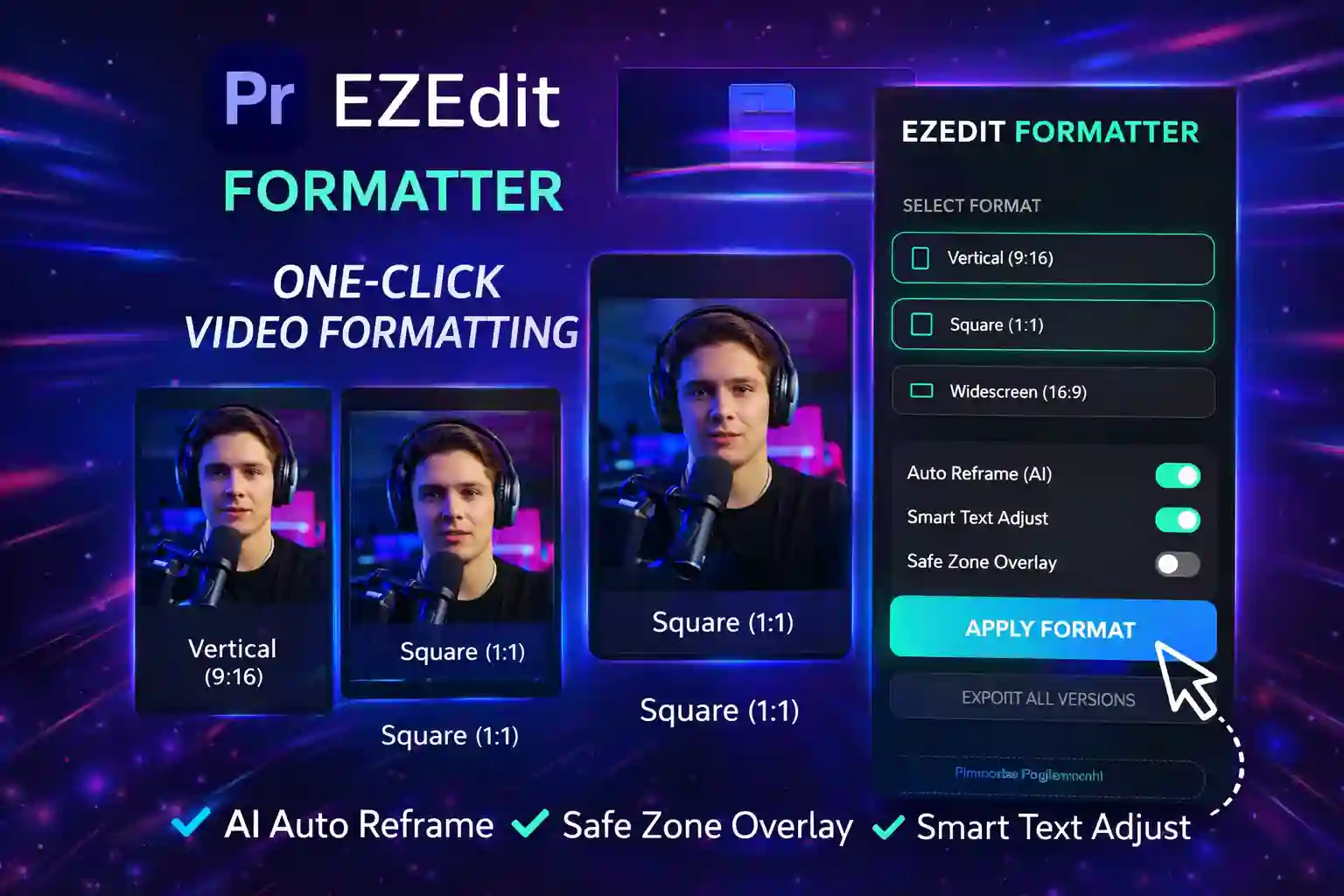
🎯 Resize & Reframe Videos in One Click
EZEdit One Click Formatter is a powerful Premiere Pro plugin that helps you instantly convert your videos into vertical, square, and widescreen formats — without manually adjusting every clip.
No more:
❌ Repositioning clips
❌ Fixing text manually
❌ Creating multiple sequences
Just select format → click → done ✅
⚡ Key Features
📱 1. One-Click Aspect Ratio Conversion
Quickly switch between:
- Vertical (9:16) – Reels / Shorts
- Square (1:1) – Instagram posts
- Widescreen (16:9) – YouTube
🤖 2. AI Auto Reframe
Automatically keeps your subject in focus when converting formats.
Perfect for:
- Talking head videos
- Interviews
- Vlogs
🔤 3. Smart Text Adjustment
No more text getting cut off!
Automatically:
- Repositions text layers
- Adjusts layout
- Keeps everything visible
🛡️ 4. Safe Zone Overlay
Visual guide to ensure:
- Important content stays visible
- No cropping issues
⚡ 5. Export All Versions (Time Saver)
Export multiple formats at once:
👉 9:16 + 1:1 + 16:9
Massive time saver for content creators.
🎯 Who is This Plugin For?
✔ YouTube Creators
✔ Instagram / Reels Editors
✔ Short-form Content Creators
✔ Freelancers
✔ Social Media Managers
💡 Use Cases
- YouTube → Shorts conversion
- Podcast → Reels clips
- Course content formatting
- Client social media deliverables
- Ad creatives (multi-platform)
🖥️ System Requirements
- Adobe Premiere Pro 2020 or above
- Windows / Mac
- Basic editing knowledge
📦 What You Get
- EZEdit One Click Formatter Plugin
- Installation Guide
- Lifetime Updates (if included)
🔥 Why Choose EZEdit One Click Formatter?
Instead of spending hours resizing videos…
👉 Convert formats in seconds
👉 Maintain professional framing
👉 Save 80% editing time
🛠️ Installation Guide (Short)
- Download plugin files
- Extract the ZIP
- Copy folder to:
- Restart Premiere Pro
- Go to Window → Extensions → EZEdit One Click Formatter
❓ FAQ Section
Q1. Does it support all aspect ratios?
Yes – 9:16, 1:1, and 16:9.
Q2. Is Auto Reframe accurate?
Yes, it uses smart tracking to keep subjects in frame.
Q3. Can I export all formats at once?
Yes, with one click.
Q4. Is this beginner friendly?
100% — no technical setup needed.
Reviews
There are no reviews yet.