
🎯 Why Use FlowPath?
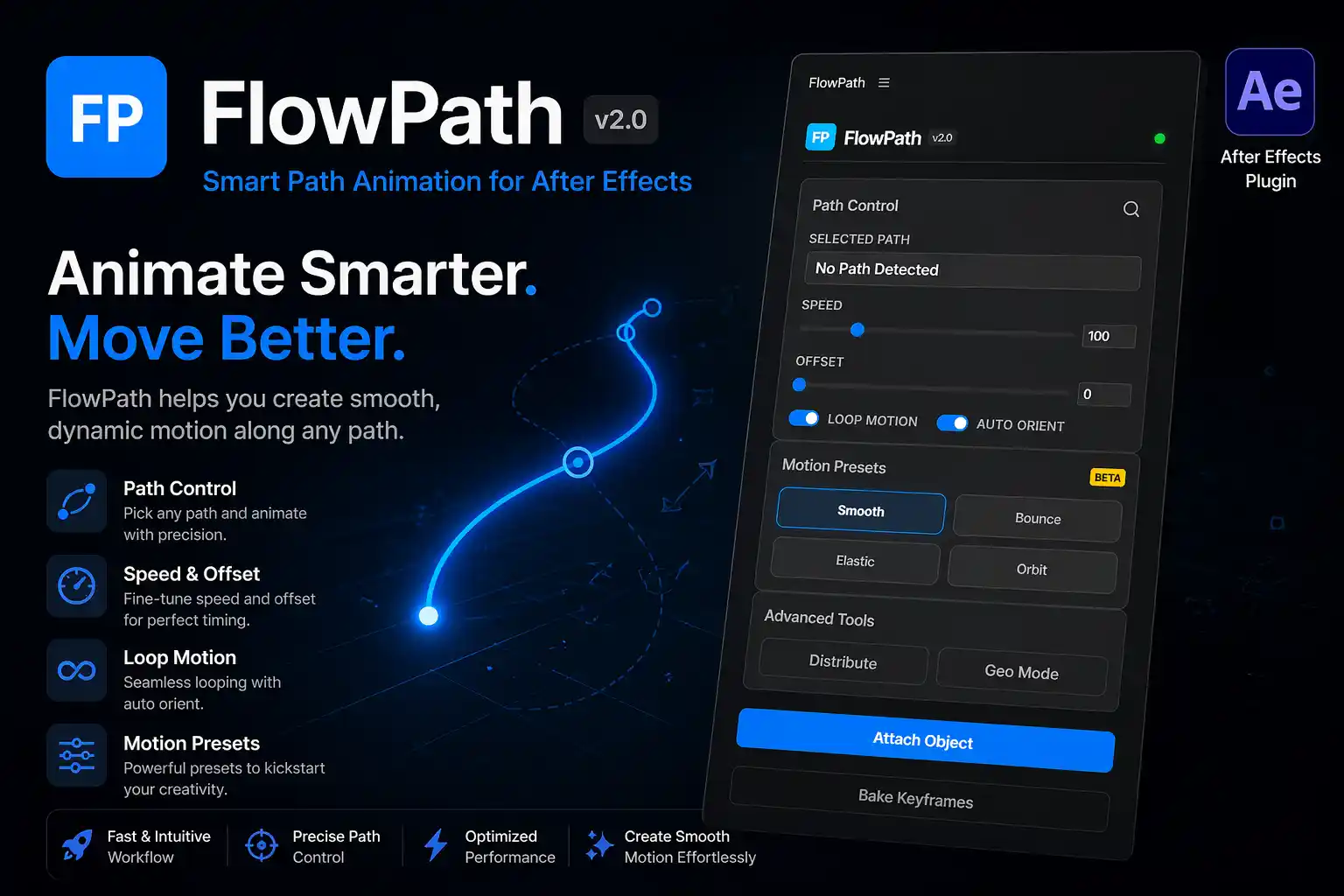
Animating objects along a path in After Effects can be time-consuming and frustrating. FlowPath solves this problem by giving you complete control over motion with an intuitive interface.
With built-in smart controls and presets, you can achieve high-quality animations without wasting hours tweaking keyframes.
⚡ Key Features
🔹 Path Control System
Easily select any path and attach objects instantly. FlowPath ensures accurate positioning and smooth motion every time.
🔹 Speed & Offset Control
Fine-tune animation timing with simple sliders. Adjust speed and offset to get perfect motion flow.
🔹 Loop Motion & Auto Orient
Create seamless looping animations and automatically align objects to the path direction.
🔹 Motion Presets (Beta)
Choose from presets like:
- Smooth
- Bounce
- Elastic
- Orbit
Quickly apply professional motion styles without manual effort.
🔹 Advanced Tools
- Distribute objects along a path
- Geo Mode for map-based animations
🎬 Perfect For
- YouTube creators
- Motion designers
- Video editors
- Map animation (like Dhruv Rathee / Vox style)
- Explainer videos
💡 Why FlowPath is Different
Unlike traditional methods in After Effects, FlowPath gives you:
✔ Faster workflow
✔ Cleaner animations
✔ No complex expressions
✔ Beginner-friendly UI
✔ Professional output
🛠️ Compatibility
FlowPath works smoothly with most modern versions of Adobe After Effects.
📈 Boost Your Animation Workflow
Stop wasting time on manual keyframes. With FlowPath, you can create high-quality motion graphics in minutes instead of hours.
🔥 Call To Action
👉 Download FlowPath v2.0 now and start creating stunning path animations instantly.
Reviews
There are no reviews yet.