Full Page Screenshot lets you instantly capture an entire website — from top to bottom — and download it in your preferred format, including JPG, PNG, or PDF.
No more stitching multiple screenshots. No more missing content. No need for extra tools or websites.
Just click, capture, and download.
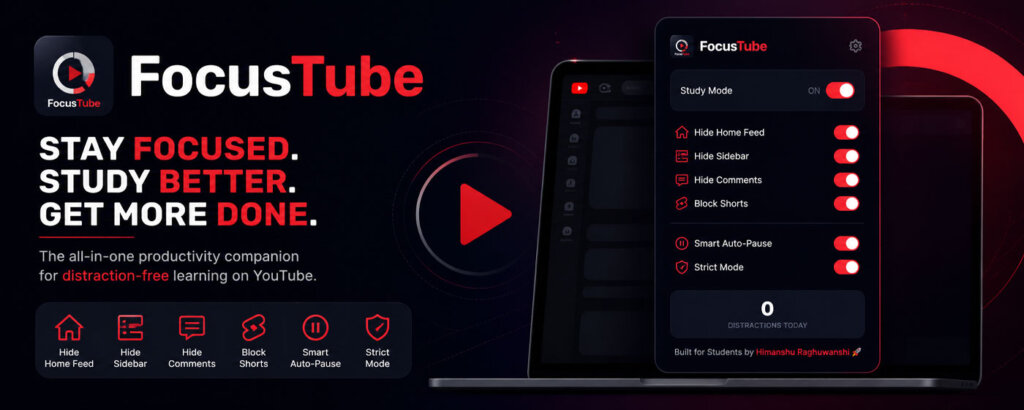
Turn on Study Mode and instantly block all distractions so you can stay focused while watching important videos.
FocusTube automatically pauses your video when:
So you never miss important content and stay accountable.
Take full control of your focus:
Get smart reminders when you lose focus:
Track how many times you get distracted daily and improve your focus over time.
✔ Boost productivity
✔ Save hours wasted on distractions
✔ Improve learning efficiency
✔ Build better study habits
✔ Stay consistent and focused
FocusTube does not collect any personal data.
Everything works locally in your browser.
Turn YouTube into a distraction-free study tool.
Effective Date: May 2026
FocusTube (“we”, “our”, or “the extension”) is built to help users stay focused while using YouTube. We respect your privacy and are committed to protecting it.
FocusTube enhances productivity by removing distractions on YouTube and providing tools like Study Mode, Smart Auto-Pause, and Focus Alerts.
We have designed this extension with a privacy-first approach, ensuring that no personal data is collected or shared.
We do not collect, store, or share any personal or sensitive user data.
Specifically, FocusTube does NOT collect:
FocusTube operates entirely locally in your browser:
No data is sent to any external servers.
FocusTube only requests permissions necessary for functionality:
Used to save user preferences such as enabled features and study mode settings.
Used to detect tab switching and trigger auto-pause functionality.
Used to display focus alerts and reminders.
Used to modify the YouTube interface to remove distractions.
These permissions are used strictly for the extension’s core features.
Since no data is collected or transmitted, your information remains fully secure within your browser.
FocusTube does not use any third-party services, analytics tools, or tracking systems.
FocusTube does not collect any information from users of any age.
We may update this Privacy Policy if needed. Any changes will be reflected on this page.
If you have any questions, you can contact us at:
contact@ezedit.in
