
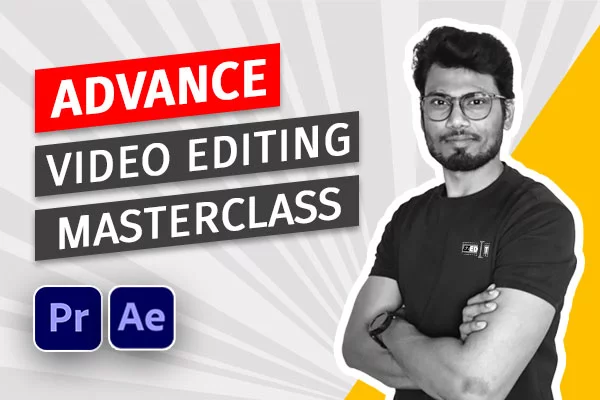
One on One Video Editing Masterclass — Learn Directly From an Industry Editor
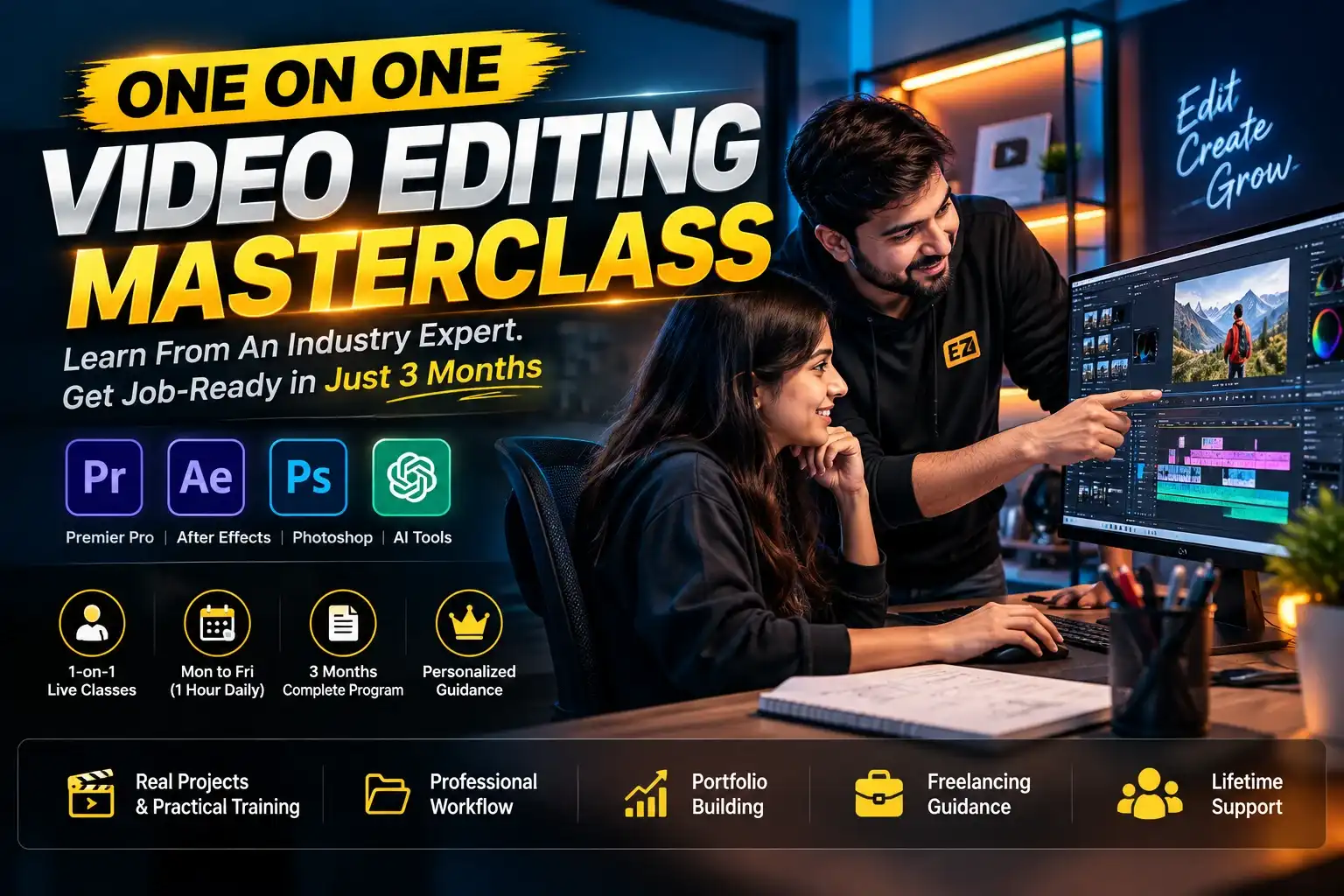
Looking for a one on one video editing masterclass that actually gets you job-ready — not just another pre-recorded course you’ll abandon in week two? EZEdit’s One-on-One Live Video Editing Masterclass pairs you directly with an experienced editor for personalized, 1:1 live classes, so every session is built around your footage, your pace, and your career goals.
This isn’t a group Zoom call where you’re one face in fifty. It’s a private mentorship-style video editing course where your instructor watches your screen, corrects your workflow in real time, and adjusts the curriculum around what you personally need to improve.
🗓 Class Schedule: Monday to Friday (Live Classes)
⏳ Duration: 3 Months
🎓 Mode: One-on-One & Interactive Sessions
💰 Price: ₹24,999 (Use code GET15 for ₹1,499 flat off)

What Makes This a True “One on One” Video Editing Masterclass
Most “video editing masterclasses” online are recorded courses re-labeled as live training. Ours is different:
- 1:1 Live Video Editing Classes — no batches, no crowded breakout rooms, no waiting your turn to ask a question.
- Personalized Video Editing Curriculum — the syllabus adapts to whether you’re a total beginner, a YouTuber wanting to self-edit, or a freelancer polishing client work.
- Flexible, Adjustable Class Timings — sessions run Monday–Friday and can be scheduled around your day job, college, or time zone.
- Direct Mentor Access — get feedback from an experienced instructor after every single class, not a generic forum reply days later.
- Real Client-Style Projects — you build a portfolio while you learn, not after.
What You’ll Learn in This One-on-One Video Editing Course
✅ Full Adobe Premiere Pro workflow — editing, cuts, transitions, color grading, and sound design
✅ Adobe After Effects motion graphics, animation, and VFX basics
✅ Adobe Photoshop for thumbnail design and poster/graphic creation
✅ AI video editing tools used by top creators to speed up production
✅ YouTube-style storytelling — pacing, hooks, and retention-focused editing
✅ Reels & short-form editing techniques for Instagram and YouTube Shorts
✅ Real assignments and 1-on-1 portfolio review with your mentor
Who Should Join This One on One Video Editing Masterclass
- Absolute beginners who want personalized guidance instead of generic YouTube tutorials
- YouTubers and content creators who want to confidently self-edit their videos
- Freelance video editors who want to offer professional editing services and need faster 1:1 skill-building
- Working professionals or students who need flexible, individually-scheduled classes around a busy timetable
- Anyone who’s tried group courses before and dropped out because they got lost in the crowd — 1:1 training fixes exactly that problem
One on One Video Editing Masterclass vs. Group/Recorded Courses
| EZEdit 1-on-1 Masterclass | Typical Recorded Course | Typical Group Live Course | |
|---|---|---|---|
| Personal attention | ✅ Every class is private | ❌ None | ⚠️ Shared among 20–50 students |
| Curriculum adapts to you | ✅ Yes | ❌ Fixed | ❌ Fixed |
| Direct feedback on your edits | ✅ Every session | ❌ Rarely | ⚠️ Occasional |
| Schedule flexibility | ✅ Adjustable Mon–Fri | ✅ Anytime (self-paced) | ❌ Fixed batch timing |
| Software covered | Premiere Pro, After Effects, Photoshop, AI tools | Varies | Varies |
| Mentor access after class | ✅ Direct | ❌ No | ⚠️ Limited |
After Completing the One on One Video Editing Masterclass
By the end of 3 months, you’ll be able to edit videos at a professional standard, present a real portfolio, and confidently take on client work or run your own channel — with the guidance of a personal editing mentor the entire way, not a generic curriculum you had to figure out alone.
Frequently Asked Questions — One on One Video Editing Masterclass
Q1. What is a one on one video editing masterclass? A one on one video editing masterclass is a personalized live training format where a student learns video editing directly from an instructor in private sessions — as opposed to pre-recorded videos or large group batches. EZEdit’s version covers Premiere Pro, After Effects, Photoshop, and AI editing tools across 3 months of live, 1:1 classes.
Q2. How is one-on-one video editing training different from a group course? In a one-on-one course, every class is scheduled and taught specifically for you. Your instructor reviews your actual footage, corrects your workflow live, and adjusts the pace to your skill level — something a 20+ student group class can’t offer.
Q3. Do I need prior editing experience to join this masterclass? No. The course is structured for beginners to pro, so whether you’ve never opened Premiere Pro or you’re refining advanced skills, the 1:1 format adapts the syllabus to your current level.
Q4. What software will I learn in the One on One Video Editing Masterclass? You’ll learn Adobe Premiere Pro (editing, color grading, sound design), Adobe After Effects (motion graphics and animation), Adobe Photoshop (thumbnail and poster design), and modern AI tools used in professional video production.
Q5. How long is the course and what’s the schedule? The course runs for 3 months, Monday to Friday, in live one-on-one sessions with adjustable class timings to fit your schedule.
Q6. Is this course good for freelancers and YouTubers? Yes. The curriculum is designed for beginners starting a career, YouTubers who want to self-edit, freelancers building client-ready skills, and anyone serious about storytelling through video.
Q7. What is the price of the One on One Video Editing Masterclass? The course is priced at ₹24,999 (originally ₹49,000). Use code GET15 for an additional ₹1,499 off at checkout.
Priya Verma –
I had watched many tutorials before, but I always felt lost. This course gave me a proper roadmap. The live feedback on every assignment helped me improve much faster than I expected.
Rahul Sharma –
The One on one Video Editing Masterclass completely changed the way I edit videos. Every session was personalized, and Himanshu sir explained every concept with patience. I went from beginner to editing professional-quality YouTube videos in just a few months.
Sneha Patel –
I joined with absolutely no editing experience. The classes were beginner-friendly, and the practical projects made learning enjoyable. Now I’m confident enough to edit videos for clients.
Mohini –
EZEdit is not just about learning Premiere Pro or After Effects. The biggest value for me was getting personal guidance, practical feedback and understanding how professional editors actually approach a project. If you’re serious about improving your editing skills, the one-on-one format is definitely worth considering.
Alok –
The biggest problem I had before joining was not knowing what to learn and in what order. There are thousands of tutorials online, but no clear direction. This course gave me a proper learning path and personal guidance. That alone made a huge difference.
Vijay Kumar –
The course helped me understand how to approach a project from start to finish rather than just learning individual editing tools. I especially liked the practical approach and feedback. It has definitely made me more confident about taking up freelance editing projects.
Dhanvi –
Maine pehle recorded courses bhi try kiye hain, but jab khud se problem aati hai toh solution dhoondhne mein bahut time lagta hai. Yahan directly mentor se pooch sakte ho aur same time par correction mil jata hai. Isi wajah se learning kaafi fast ho gayi.
Prachi Singh –
Initially mujhe laga tha ki course join karne ke baad bhi mostly khud hi practice karni padegi, but the guidance was actually very helpful. Jo mistakes main baar-baar karta tha, unko identify karke improve karwaya gaya. Ab apne edits ko lekar kaafi confident feel karta hoon.
Aagya singh –
When I started, I knew only the basics of Premiere Pro. After going through the training, I became much more comfortable with professional editing techniques, motion graphics and workflow. The personalized feedback really helped me identify and fix my mistakes.
Nimit Soni –
Mujhe personally sabse achha ye laga ki course sirf tools aur buttons ke baare mein nahi hai. Actual projects ke through editing ka workflow samjhaya gaya. Har class ke baad lagta tha ki kuch useful seekha hai. Agar seriously video editing seekhni hai toh definitely consider kar sakte ho.
Bhupendra –
I joined EZEdit because I wanted to take video editing seriously as a career. The course helped me understand not only the software but also the professional editing workflow. Practical projects and feedback were the most useful part for me. Definitely recommended for beginners who want proper guidance.
Vashundhara –
As someone who has a busy schedule, I didn’t want to waste time watching random tutorials. The one-on-one format was perfect because I could directly focus on the areas I needed to improve. Classes were practical and easy to understand. Worth the time and investment.
Hanu –
EZEdit ka sabse best part for me was the personalized learning. Mujhe ek fixed syllabus follow karne ke bajay meri skill level ke according guide kiya gaya. Premiere Pro, After Effects, motion graphics aur practical editing workflow ko properly samjha. If you are serious about making video editing your career, I would definitely recommend this masterclass.
Ashish singh –
What I liked most about EZEdit was the personalized approach. Instead of following a generic learning path, I received direct feedback on my work and learned how to improve my editing process. The sessions were practical, structured and easy to understand. A very good option for anyone looking to build professional editing skills.
Ridhima –
Before joining EZEdit, mujhe editing aati thi but client-level professional work karne mein confidence nahi tha. The practical assignments and personalized feedback helped me improve my workflow a lot. Ab mujhe client projects handle karne mein much more confidence feel hota hai. If you want practical learning instead of just watching recorded videos, this course is worth it.
Antima –
I had basic knowledge of video editing but I was confused about what to learn next. The 1-on-1 classes helped me understand the complete workflow properly. Himanshu sir explains things in a very practical way, and the feedback on my edits was really helpful. Ab editing sirf software chalana nahi lagta, I actually understand how to make a professional video.
Akhilesh –
Agar aap sirf editing software seekhna chahte ho toh YouTube se bhi basics seekh sakte ho. But agar professional level par editing seekhni hai aur proper guidance chahiye, then one-on-one training kaafi helpful hai. Mujhe workflow, motion graphics aur project handling samajhne mein bahut help mili.
Richa –
I was looking for a course where someone actually guides me instead of just giving recorded videos. EZEdit’s one-on-one classes were exactly that. Har class mein kuch new seekhne ko mila and doubts bhi properly solve hue. Overall, really good experience.
Prince –
YouTube par bahut saare tutorials dekhe the but problem ye thi ki samajh nahi aata tha next kya seekhna hai. EZEdit mein proper roadmap mila aur 1-on-1 hone ki wajah se jo bhi doubt hota tha turant clear ho jata tha. Ab editing karte time confidence completely different hai.
Ekta –
I literally started with very basic knowledge of video editing. The classes were explained in a simple way and I never felt uncomfortable asking questions. Step-by-step learning and practical exercises helped me improve consistently. Really happy that I chose a one-on-one course.
Manishika –
Mainne pehle YouTube se video editing seekhne ki kaafi try ki thi, but proper roadmap nahi mil pa raha tha. EZEdit ke 1-on-1 classes mein sab kuch step-by-step samjhaya gaya. Sabse achhi baat ye hai ki agar kahin problem aaye toh instantly doubt clear ho jata hai. Ab mujhe Premiere Pro aur After Effects dono mein kaafi confidence hai.
Rakshit –
Before joining the masterclass, I could edit videos but struggled with professional quality and workflow. The one-on-one training helped me improve both my technical skills and creative approach. I now feel much more confident working on real projects.
Nihar –
After Effects mujhe kaafi complicated lagta tha. I had tried learning it from YouTube but concepts properly clear nahi ho rahe the. One-on-one sessions made a huge difference. Concepts ko practically explain kiya gaya and I could ask questions whenever I got stuck. Really happy with the learning experience.
Sonam –
Classes mein sirf theory nahi hoti, actual editing karke samjhaya jata hai. Agar koi concept samajh nahi aata toh dobara explain kar dete hain. Plus, apne project par feedback milna is a big advantage. Overall experience bahut achha raha.
Rahul kumar –
I joined the course with almost zero professional editing experience. Initially I was a little nervous, but the classes were very easy to follow. Har concept ko practically explain kiya gaya and doubts bhi immediately solve ho jaate hain. 3 months mein meri editing skills mein genuinely bahut improvement aayi. Highly recommended for anyone serious about learning video editing.
Digvijay –
One-on-one classes are the biggest advantage. Concepts are explained practically, doubts are cleared properly and you get direct feedback on your work. Definitely recommended.
Soni –
Bahut courses try kiye the but mostly videos dekhte-dekhte motivation khatam ho jata tha. Yahan 1-on-1 classes ki wajah se proper attention milta hai aur har mistake ko explain karke correct karaya jata hai. Editing ka confidence kaafi improve hua. Highly recommended!
Aadesh Chandel –
The biggest advantage is 1-on-1 guidance. You don’t feel lost like you sometimes do with recorded courses. Every doubt gets attention and the learning is very practical. Overall, a great experience.