
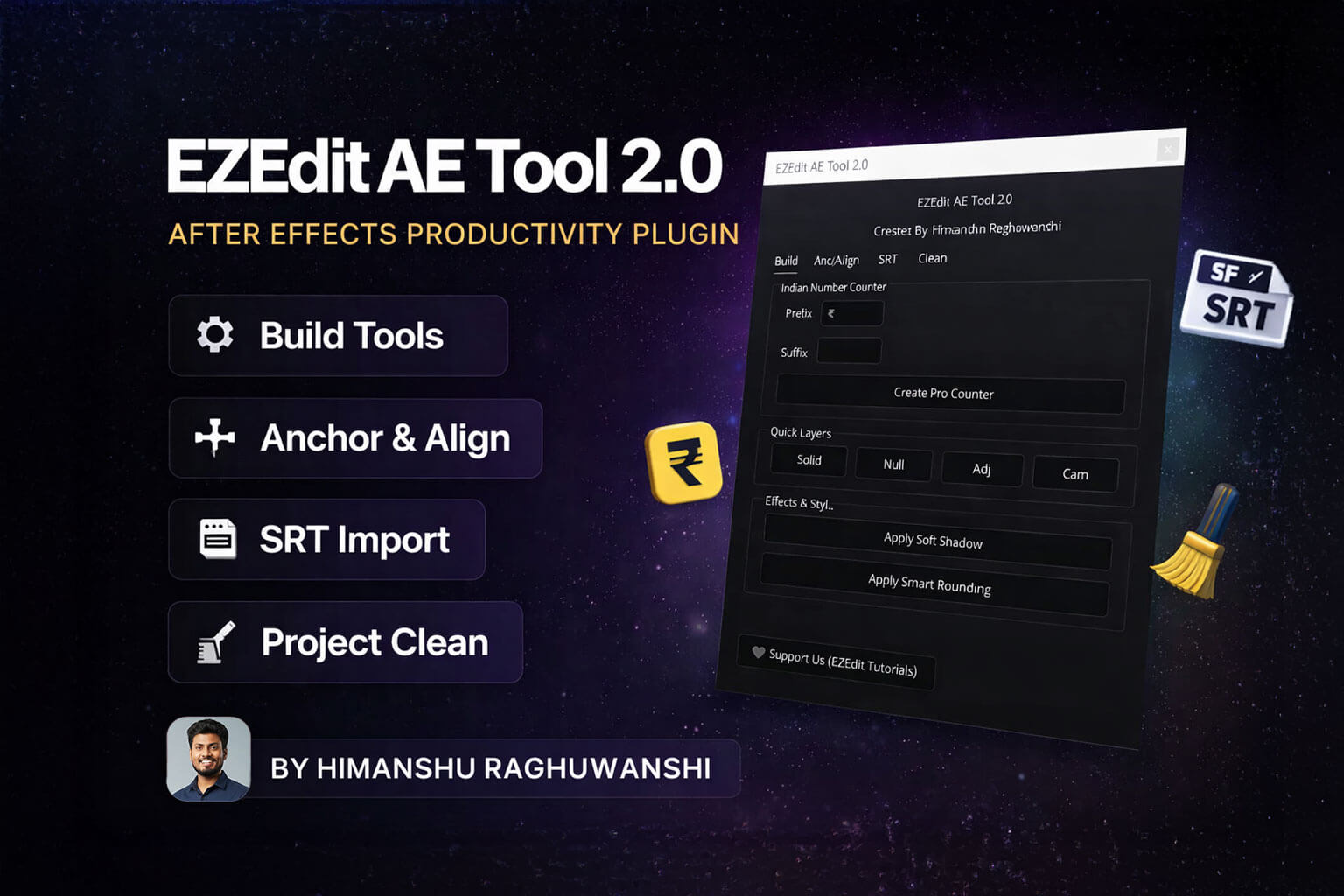
EZEdit AE Tool 2.0 is a powerful all-in-one productivity plugin for Adobe After Effects designed to speed up your workflow and simplify repetitive tasks.
Created by Himanshu Raghuwanshi (EZEdit Tutorials), this tool helps editors, motion designers, and content creators work smarter with smart automation features.
🔧 Key Features:
🏗 Build Section
- Indian Number Counter (₹ Prefix & Custom Suffix Support)
- One-Click Professional Counter Creation
- Quick Layer Creation (Solid, Null, Adjustment, Camera)
- Apply Soft Shadow Instantly
- Smart Rounding Effect in One Click
💡 Why Use EZEdit AE Tool 2.0?
✔ Save Hours of Manual Work
✔ Beginner-Friendly Interface
✔ Designed for Indian Creators & Editors
✔ Clean, Modern UI
✔ One-Click Workflow Automation
Whether you create YouTube videos, client projects, reels, or explainer animations — EZEdit AE Tool 2.0 helps you edit faster and more efficiently.
Gaurav Kumar –
As a YouTube editor, I need speed and this tool delivers that. It makes my editing process faster and more efficient. Didn’t face any bugs so far. Good optimization.
Manish Yadav –
Installation was easy and everything works properly. I like how it simplifies small but important tasks. Good addition to any editor’s toolkit.
Sunil Patel –
This is a practical tool, not just for show. It actually helps in real editing situations. Saves time and improves efficiency. Recommended for anyone serious about editing.
Nikhil Sharma –
Very helpful tool for daily use. It may look simple but actually saves a lot of time in long projects. Once you start using it, you won’t go back to manual work.
Vivek Thakur –
Best part is the simplicity. No confusion, no heavy UI. Everything is straightforward and works smoothly. Helps a lot in managing layers and quick edits inside After Effects.
Rohit Saini –
I have been using this for a week and it really improves workflow. It reduces repetitive clicks and saves time while editing. Especially helpful when working on bulk projects. Worth the purchase.
Aditya Mishra –
AE Tool 2.0 is actually very useful for speeding up daily work. Simple tasks like scaling, positioning and layer adjustments are now much faster. Clean tool and easy to use. Good for both beginners and professionals.