
🚀 Edit Faster. Click Less. Create More.
EZToolkit is a powerful Premiere Pro plugin designed to simplify your everyday editing workflow. Instead of jumping between menus and performing repetitive tasks manually, EZToolkit puts your most-used editing tools in one fast, convenient panel.
Whether you’re editing YouTube videos, Reels, Shorts, wedding films, client projects, or professional productions, EZToolkit helps you save time and keep your timeline organized.
🔥 Key Features
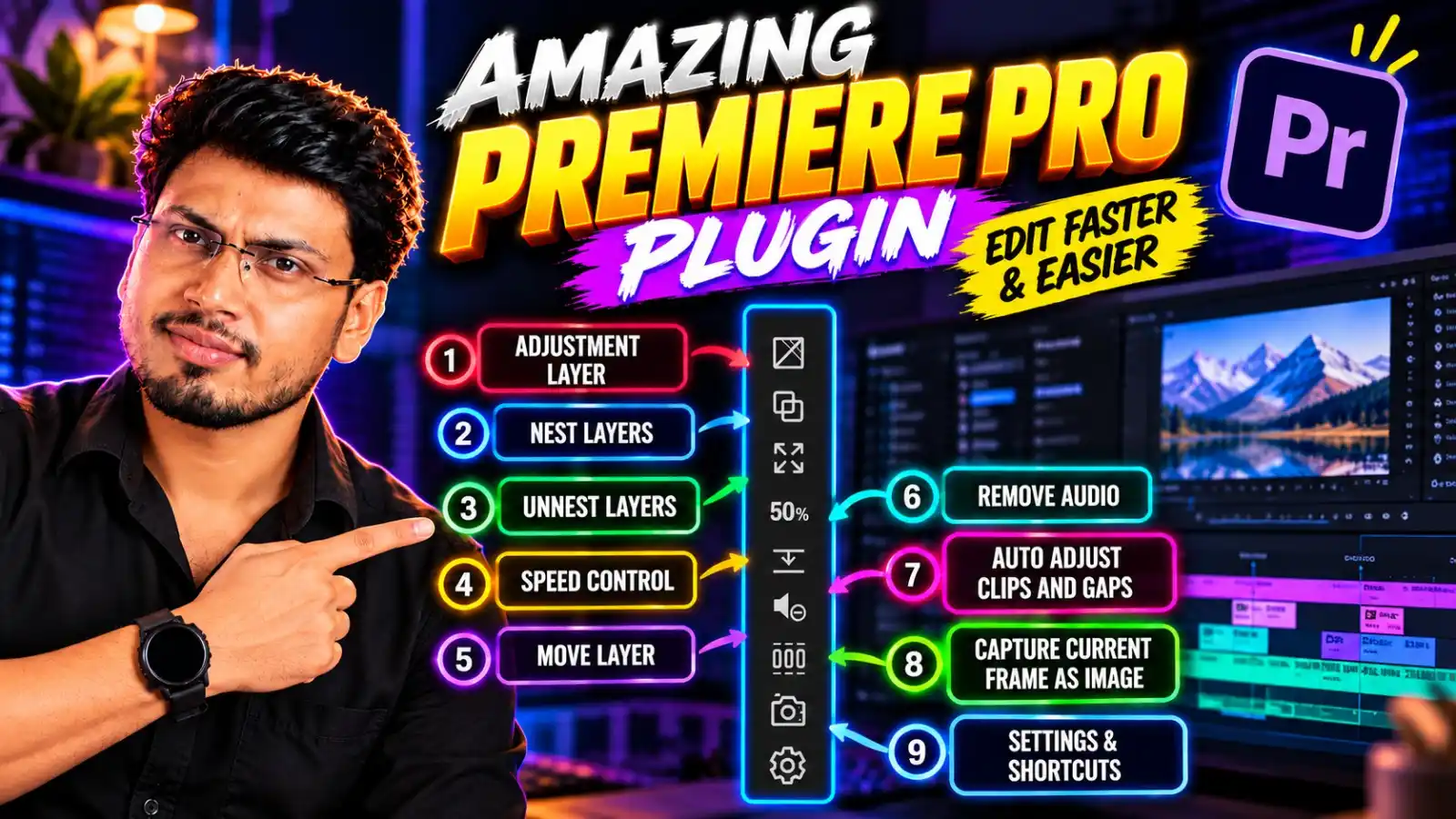
- Adjustment Layer — Create adjustment layers instantly.
- Nest Layers — Nest selected clips with a single click.
- Unnest Layers — Quickly restore nested clips to your timeline.
- Speed Control — Change clip speed faster and more efficiently.
- Move Layer — Easily reposition clips within your timeline.
- Remove Audio — Instantly remove unwanted audio from selected clips.
- Auto Adjust Clips & Gaps — Automatically manage clips and timeline gaps for a cleaner workflow.
- Capture Current Frame as Image — Save the current video frame as an image instantly.
- Settings & Shortcuts — Customize the toolkit and configure shortcuts according to your workflow.
🎬 Perfect For
- YouTube Video Editors
- Instagram Reels & Shorts Editors
- Wedding & Event Video Editors
- Freelance Video Editors
- Motion Graphics Artists
- Content Creators
- Professional Post-Production Workflows
💡 Why EZToolkit?
Less clicking. Less repetitive work. More time for creativity.
EZToolkit brings essential Premiere Pro editing utilities together so you can perform common tasks quickly without interrupting your editing flow.
📦 Product Highlights
Product: EZToolkit – Premiere Pro Editing Plugin
Features: 9 Essential Editing Tools
Workflow: Fast & Productivity-Focused
Use Case: YouTube, Reels, Shorts, Wedding, Commercial & Professional Editing
🎯 Stop Doing Repetitive Tasks Manually
Upgrade your Premiere Pro workflow with EZToolkit and turn everyday editing tasks into one-click actions.
EZToolkit — Your Everyday Premiere Pro Editing Assistant.
Reviews
There are no reviews yet.