
How to Edit Videos Like
Nitish Rajput
in 2026
Nitish Rajput ki editing sirf cuts aur effects nahi hai — ye storytelling hai. Is step-by-step guide me hum exactly wahi sikh’te hain jo unki videos ko itna engaging banata hai.
Agar tum YouTube par Nitish Rajput jaise videos dekhte ho, to tumne notice kiya hoga unki editing kitni engaging hoti hai. Unke videos sirf information nahi dete — story batate hain, emotion create karte hain, aur viewer ko end tak hold karte hain.
Aur yahi wajah hai ke uनके videos millions mein views aate hain — sirf topic nahi, editing ka magic bhi equally responsible hai.
Is blog me tum step-by-step seekhoge ki edit videos like Nitish Rajput kaise karte hain — beginner-friendly language mein, practical steps ke saath, aur 2026 ke updated tools ke saath.
Ye guide sirf software ke baare mein nahi hai. Hum mindset + technique dono cover karenge — kyunki Nitish Rajput ka asli secret unka storytelling approach hai, tools nahi.
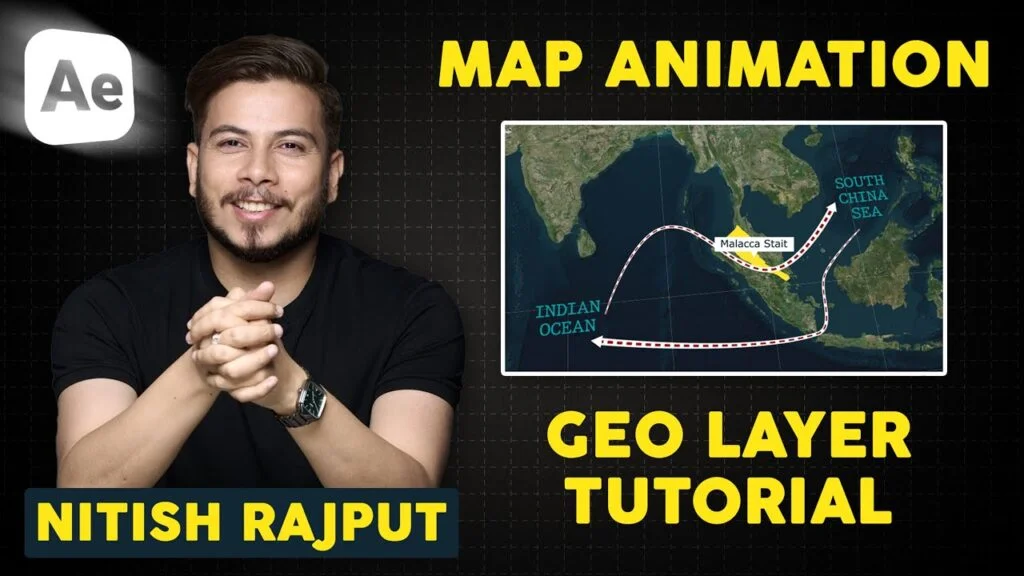
👆 Pehle ye video dekho — style ko feel karo, phir guide padho.
🧠 Nitish Rajput Editing Style Breakdown
Agar tumhe genuinely edit videos like Nitish Rajput, to pehle unka pattern samajhna zaroori hai. Unka har video ek specific formula follow karta hai:
- Fast-paced cuts — Har 2-4 second mein scene ya shot change hota hai, jisse momentum bana rehta hai
- Script-driven voiceover — Editing script ke upar build hoti hai, random nahi hoti
- Zoom in / Zoom out effects — Dramatic moments par zoom add hota hai for emotional impact
- B-Roll & Stock footage — Sirf talking head nahi, context ke saath visuals add hote hain
- Text animations — Important words screen par highlight hote hain
- Cinematic background music — Topic ke mood ke hisaab se music change hota hai
Nitish Rajput ki editing
Editing ≠ Effects
Editing = Storytelling + Emotion
🛠️ Tools You Need in 2026
Ghabrao mat — tum sirf phone se bhi shuru kar sakte ho. Lekin agar tum serious ho, to ye tools use karo:
Professional Setup (Recommended)
Beginner / Budget Setup
Shuru karo CapCut ya VN Editor se — technique seekho pehle. Phir jab earnings aane lagein, tab Premiere Pro upgrade karo. Tools se nahi, skills se channels grow hote hain.
🚀 Step-by-Step Guide to Edit Videos Like Nitish Rajput
Ye 7 steps wo exact process hain jo Nitish Rajput style ki editing produce karta hai. Ek-ek step follow karo:
Nitish Rajput ka sabse bada secret yahi hai — wo pehle script likhte hain, phir voice record karte hain, aur phir us voiceover ke according video edit karte hain. Random editing mat karo. Pehle story decide karo: opening hook → problem → explanation → conclusion. Phir har scene us story ko support kare.
Har 2–4 second mein scene change karo. Dead silence, unnecessary pauses, aur filler words — sab remove karo. Ye ek simple rule hai lekin iska impact massive hai. Viewer kabhi bore nahi hoga aur watch time dramatically improve hoga. Premiere Pro mein “J” aur “K” shortcuts se ye kaam tezi se hota hai.
Important lines pe zoom in karo — jab koi shocking fact ho, ya emotional point ho. Premiere Pro mein ye “Scale” keyframes se hota hai. Ek simple example: sentence shuru hote time 100% scale, phir 1 second mein 115% tak smooth animate karo. Ye cheez hi videos ko cinematic feel deti hai, sirf camera nahi.
Nitish Rajput ke videos mein dekha hoga ki important words screen par bold text mein appear hote hain — “Truth”, “Reality”, “Scam”, “Exposed” etc. Ye After Effects ya CapCut ke built-in text animations se easily ho jaata hai. Har key point ke liye ek short text pop karo — ye viewer ka attention grab karta hai aur retention boost karta hai.
Sirf talking head video mat rakho. Jab bhi koi concept, place, ya person mention hoo — relevant B-roll add karo. News clips, stock footage (Pexels/Pixabay), screenshots, graphs — ye sab video ko credible aur engaging banate hain. Ye hi difference hai ek average YouTube video aur ek Nitish Rajput video mein.
Music video ki soul hai. Serious topic pe slow cinematic music, energetic topic pe fast-paced music. Volume rakho -25 to -30 dB — bass thoda boost karo, treble thoda cut. Epidemic Sound ya YouTube Audio Library se royalty-free music milti hai. Wrong music = wrong emotion = viewer bounce karta hai.
Last step — thoda cinematic color grade add karo. Contrast slightly increase karo, warm tone add karo, shadows mein thoda teal aur highlights mein warm orange add karo — ye LUT se hota hai (free LUTs available hain online). Iske baad aapki video automatically professional lagegi.
❌ Common Mistakes — Avoid Karo
Ye mistakes beginners sabse zyada karte hain. Inhe avoid karo aur aap already 80% creators se aage ho jaoge:
Simple rakho, engaging rakho. Nitish Rajput ka style complex nahi hai — wo consistent aur intentional hai. Har cut, har zoom, har music choice ek reason ke saath hoti hai.
💸 Kitna Paisa Kama Sakte Ho?
Agar tum edit videos like Nitish Rajput seekh lete ho, to ye skills directly income mein convert hoti hain:
| Work Type | Earning Range | Time Required |
|---|---|---|
| Freelance per video | ₹2,000 – ₹5,000/video | 2–4 hours |
| Monthly retainer (1 client) | ₹8,000 – ₹15,000/month | Part-time |
| 3–4 YouTube clients | ₹25,000 – ₹50,000/month | Full-time |
| Your own YouTube channel | ₹20K – ₹2L+/month | Long-term |
Ye numbers realistic hain — humari community ke kai students 3-6 mahine ke andar freelancing se income shuru kar chuke hain. Sirf skills chahiye, degree nahi.
Practice karo daily.
Consistency hi
asli editing tool hai.
Agar tumhe genuinely edit videos like Nitish Rajput seekhna hai, to yaad rakho — ye ek raat ka kaam nahi hai. Lekin har ek video ke saath tum better hote jate ho. Script likhna shuru karo aaj se, editing kal se improve ho jaayegi.
EzEdit par hum exactly yahi sikhate hain — hands-on, practical, Hindi mein. Theory nahi, real projects.
Live classes, practical assignments, aur real YouTube clients ke saath train karo. Sirf ₹799 mein complete video editing course.
Course Explore Karo →